
ADAS Sub-Service

Lane Departure And Lane Keep Assist Calibration

Lane departure and lane-keep calibration at suitable DFW service locations.

DFW mobile calibration for lane departure and lane-keep systems after relevant repairs. Camera aiming, steering-angle requirements and repair sequence are checked for the exact vehicle.

Onsite only - calibration is on-vehicle. Most quotes are returned in under 4 business hours.

Lane Departure And Lane Keep Assist Calibration
TARGET / OEM SPEC
Flat-rate pricing - confirmed before any work begins
Quotes are free - no obligation.
Quotes returned in under 4 business hours
Start a Quote

Lane departure and lane-keep calibration: repair scope before calibration

Lane departure warning alerts the driver; lane-keep or lane-centering systems may also apply steering assistance. Camera aiming and steering inputs are related, but a warning or steering complaint needs diagnosis before calibration is selected.

Request a Quote
Vehicle-specific requirements
Tell us about windshield, camera or bracket removal and replacement. The specific system determines the aiming method and any additional setup.
OEM PROCEDURE
Readiness before the visit
Include the alignment report if available and identify remaining steering, suspension or tire concerns. Calibration does not repair a mechanical pull or incorrect alignment.
PREREQUISITES
Documented completion status
The report distinguishes completed work, available results and remaining faults or prerequisites. Calibration does not certify unrelated vehicle systems or guarantee insurer acceptance.
WORK REPORT
Mobile Service Across the DFW Metroplex
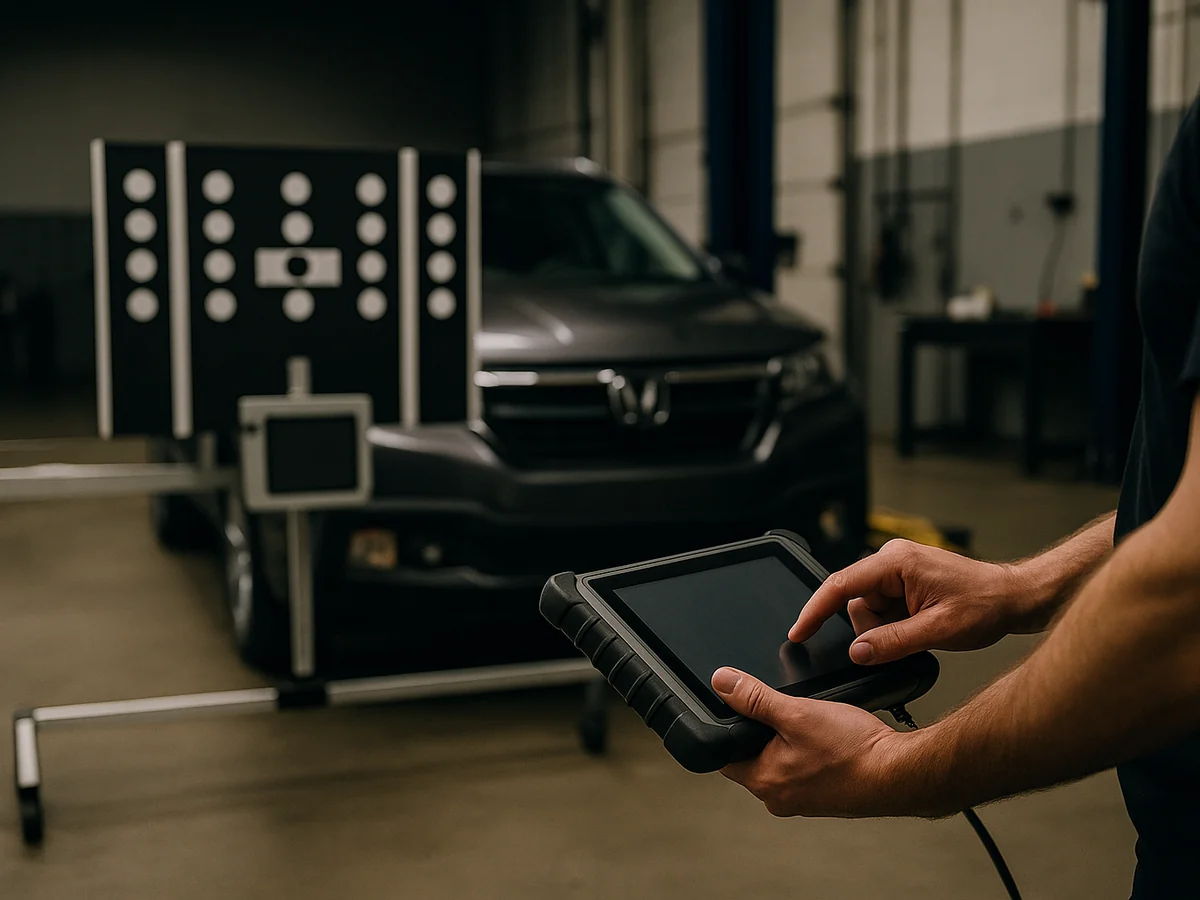
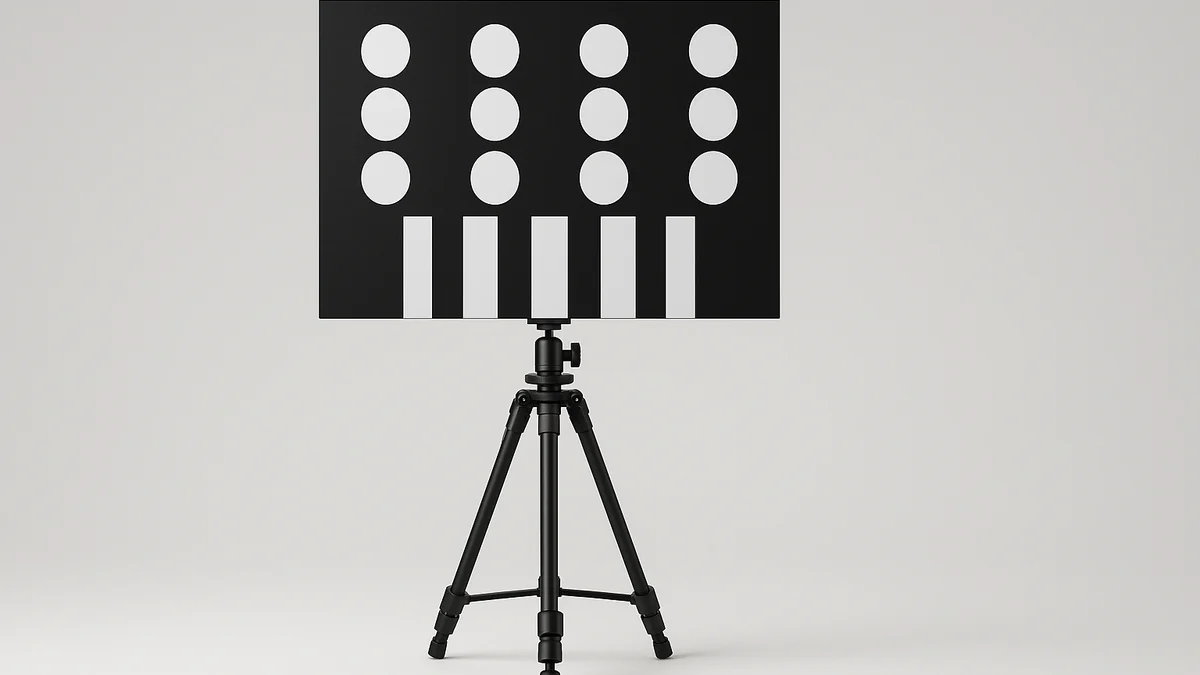
We bring the target boards, tripods and OEM scan tools to your bay. The work order stays with your shop. We confirm any static setup and required road procedure before starting.
Dallas Fort Worth Plano Arlington Irving Frisco McKinney Denton
DFW METRO COVERAGE
DFW ROUTE

How Onsite Lane Departure And Lane Keep Assist Calibration Works

ADAS calibration requires the vehicle. We bring targets and software to your DFW location, confirm the workspace, and perform any required static setup and road procedure.

We Come to Your Shop

Mobile tech arrives with OEM Software and Custom Tools, calibration targets and a J2534 interface.

  1. Schedule a visitOnsite work is typically scheduled within 24-48 hours; same-day may be available
  2. Tech arrives on-siteRoute window confirmed before arrival, targets and tooling in the van
  3. Calibrate to OEM specStatic and dynamic procedures per the factory service manual
  4. Verification & reportPost-scan and calibration report before we leave
COVERAGE
DFW Metroplex
Dallas, Fort Worth, Plano, Arlington, Frisco, Irving
Request Calibration

What to know before requesting service

Start with year, make, model and the repair details. VIN is helpful when available and optional for the initial request.

  • Describe the behaviorSend the year, make and model, repairs performed, fault codes and when the concern occurs. Tell us whether the issue is a warning, unavailable feature or unwanted steering correction.
  • Confirm mechanical readinessInclude the alignment report if available and identify remaining steering, suspension or tire concerns. Calibration does not repair a mechanical pull or incorrect alignment.
  • Plan the required procedureShare bay space and site conditions. If the OEM requires a road procedure, road markings, weather and safe operating conditions may affect scheduling or completion.

Related calibration services

A quote request does not confirm an appointment. We will confirm scope, price, and availability with you.

What happens next

From your request to completed work and documentation.

  1. Review the vehicle and repairSend the vehicle, repair history, service location and available scan information. We confirm equipment and required procedures before quoting.
    Review the vehicle and repair - Core Auto Logic lane-departure-calibration step 1
  2. Confirm prerequisites and siteShare bay space and site conditions. If the OEM requires a road procedure, road markings, weather and safe operating conditions may affect scheduling or completion. Price, scope and availability are confirmed before booking.
    Confirm prerequisites and site - Core Auto Logic lane-departure-calibration step 2
  3. Perform the specified procedureWe complete the camera aiming and steering-related initialization specified for the vehicle and agreed repair scope. Static setup and any required dynamic procedure follow the OEM sequence rather than a universal alignment-reset-camera order.
    Perform the specified procedure - Core Auto Logic lane-departure-calibration step 3
  4. Record the result and next stepsThe work report identifies the procedures completed, scan findings and available calibration results. If completion is prevented, we record that status and discuss the next steps rather than issuing a success claim.
    Record the result and next steps - Core Auto Logic lane-departure-calibration step 4

Frequently Asked Questions

Not every vehicle has the same requirement. We check the OEM instructions for the repair and installed equipment, including any steering-angle relearn or camera aiming prerequisites.
A pull can come from tires, mechanical alignment, suspension or steering faults as well as driver-assistance concerns. We review those conditions before treating camera calibration as the fix.
The lane functions commonly use the forward camera. A forward-camera calibration may cover the required lane-system aiming, while other initialization steps remain vehicle-specific. We confirm the scope to avoid duplicate operations.
It depends on the OEM method. Some systems use static targets, others require dynamic learning, and some specify both. A road procedure is completed only when the required conditions are available.

Everything covered in this service

The agreed work is verified and documented before the job is completed.

Confirm the procedure
TARGET
We complete the camera aiming and steering-related initialization specified for the vehicle and agreed repair scope. Static setup and any required dynamic procedure follow the OEM sequence rather than a universal alignment-reset-camera order.
On-vehicle mobile service in DFW
MOBILE
The complete vehicle is required. We confirm site suitability, equipment, scope and scheduling before the visit; this is not a mail-in module service.
A clear repair record
DOC
Keep the repair details, scan information and completed-procedure results with the repair order. Follow-up diagnosis or additional work is identified separately.

Common reasons customers book this service

Tap a card to see what triggers this service and which systems are affected.

Tell us about windshield, camera or bracket removal and replacement. The specific system determines the aiming method and any additional setup.
Provide the alignment status and repair details. We check whether camera aiming, steering-angle initialization or other procedures are required, in the manufacturer-specified order.
Lane warnings or biased steering assistance can have several causes. We review faults, tires, alignment, visibility and repair history before deciding whether calibration is appropriate.
Tools and technical coveragePlatform access, equipment, and procedure details
PLATFORM INTELLIGENCE

How we plan this service

We use the VIN, repair details, and equipped systems to choose the access path and service workflow before the job starts.

ADAS calibration

Static vs dynamic procedure planning

Exact-year release rows confirm that late-model ADAS work can require a mix of target-board setup, subscription-gated static routines, and manufacturer drive cycles.

Module family
Forward camera and radar systems
Access method
Target setup plus road procedure when required
Workflow
Static or dynamic calibration
What to send

Send the VIN, repair operation, alignment status, tire size changes, and whether a windshield, bumper, sensor, or suspension component was replaced.

Diagnostics and secure gateway access

Secure gateway and DoIP checks

Some late-model ADAS and diagnostic sessions require secure authorization or Ethernet diagnostics before calibration routines can be completed.

Module family
Late-model networked ADAS
Access method
Secure gateway, DoIP, or OEM authorization may be required
Workflow
Authorization and diagnostic session planning
What to send

Confirm the VIN, module being calibrated, battery support availability, and whether previous scans mention gateway, DoIP, or seed-key access.

ADAS calibration

Target-board selection before arrival

The ADAS target catalog preview includes printed boards, flexible mats, OEM-specific target sets, and radar corner reflectors. We use that as a setup checklist, not as a promise that one target fits every vehicle.

Module family
Static targets and radar reflectors
Access method
Static target setup
Workflow
Target-board selection
What to send

Send the VIN, sensor being calibrated, repair operation, workspace dimensions, lighting notes, and any target or fixture already on hand.

TOOL CAPABILITY MATRIX

Capable platforms for this work

Representative platforms we use to choose the calibration path, target setup, and subscription access for camera, radar, blind-spot, and surround-view work.

Static and dynamic ADAS calibration
AFTERMARKET PLATFORM
Autel, Launch Tech, Topdon Used when Autel coverage supports the procedure; late-model gaps can still require OE access.
Coverage varies by vehicle
Source basis: Autel, Launch Tech, and Topdon scanner-vendor capability documentation.
ADAS target setup and guided calibration
AFTERMARKET PLATFORM
Autel, Launch Tech, Topdon Useful for guided aftermarket calibration coverage and setup verification.
Coverage varies by vehicle
Source basis: Autel, Launch Tech, and Topdon scanner-vendor capability documentation.
Late-model Ford camera and radar routines
OEM SOFTWARE
Ford FDRS with VCM Factory routines require Ford access when the calibration is not exposed through aftermarket coverage.
No practical workaround
Source basis: Ford Diagnostic and Repair System service software documentation.
ADAS scan, topology, and pre-check support
AFTERMARKET PLATFORM
Autel, Launch Tech, Topdon Used for scan, topology, and ADAS workflow support where coverage is confirmed.
Coverage varies by vehicle
Source basis: Autel, Launch Tech, and Topdon scanner-vendor capability documentation.

Concerns to include in your request

These symptoms are reasons to diagnose the system, not proof that calibration alone will fix it. Do not deliberately provoke a warning or emergency-braking response to test the vehicle.

Lane features unavailable
Include when it started, the recent repairs and any available fault codes. We review the cause and required next step.
Unexpected lane warnings
Include when it started, the recent repairs and any available fault codes. We review the cause and required next step.
Assistance biased after repair
Include when it started, the recent repairs and any available fault codes. We review the cause and required next step.
Camera or steering-related faults
Include when it started, the recent repairs and any available fault codes. We review the cause and required next step.

Built around what your shop actually needs.

About this service.

Workmanship warranty

A 1-year unlimited-mile workmanship warranty on our work.

If a defect in our calibration or programming work appears, contact us so we can put it right at no charge. We confirm coverage for your specific job before work begins.

1-Year Unlimited Miles
Coverage for our completed service
Clear Scope and Pricing
Approve the scope and charges before work begins
Workmanship support
Contact us about a defect in our work
Direct Tech Line
Talk with our service team

Ready to get this calibrated and back on the road?

Request onsite calibration in DFW. We confirm the location and appointment after reviewing your request. Most quotes are returned in under 4 business hours.